Self-exclusions can only be lifted by an operator in the admin. Supporters can't lift them themselves. Your capabilities and the supporter's minimum self-exclusion period decide whether you can lift one.
For how self-exclusion is applied, see Self-exclude a supporter.
Who can lift a self-exclusion
| Capability | Before the minimum period | After the minimum period |
| Lift self-exclusion | Button greyed out, showing Eligible for review in {time} | Can lift |
| Lift self-exclusion (exception) |
Can lift, with an override warning
|
Can lift |
If you have neither capability, the button is greyed out and shows Unavailable for your operator role. Capabilities are assigned under Operations > Manage operators > Manage operator roles.
Lift a self-exclusion
- Log in with an operator account that has the Lift self-exclusion or Lift self-exclusion (exception) role capability.
- Click remove self-exclusion. A confirmation window opens. If the minimum period hasn't passed yet, it includes a warning: "This customer is eligible for review in {time}. Removing the self-exclusion now overrides that."
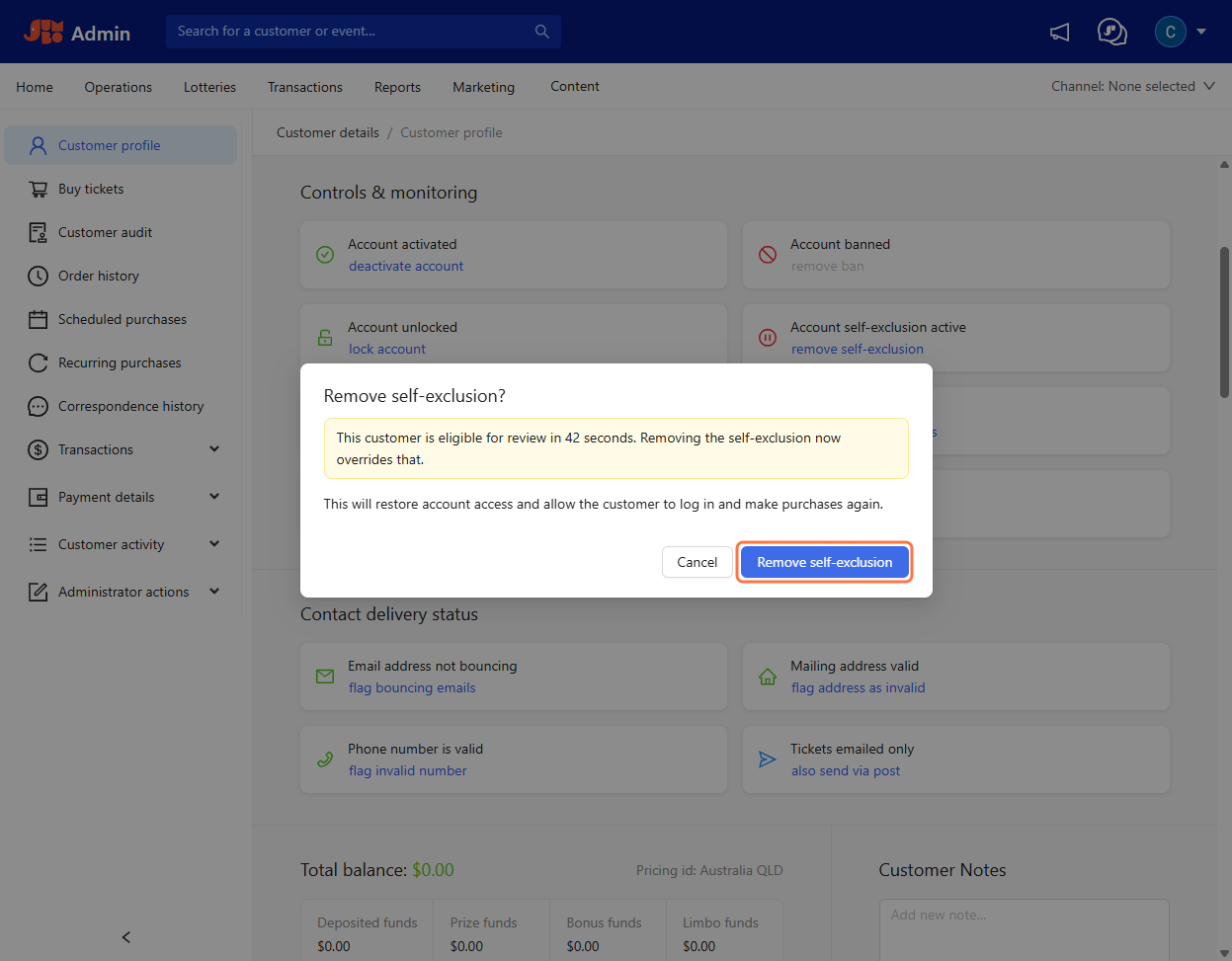
- Click Remove self-exclusion. You'll see the message "Customer's self-exclusion has been lifted."
What happens next
Once a self-exclusion is lifted:
- the card shows Account self-exclusion inactive, and the self-excluded label is removed
- a Self-exclusion lifted entry is added to the supporter's events
- the supporter's details are removed from the banned list, so they can create an account again
- the supporter is sent a Self-Exclusion Lifted email, if it's turned on
The page updates automatically, so there's no need to refresh.